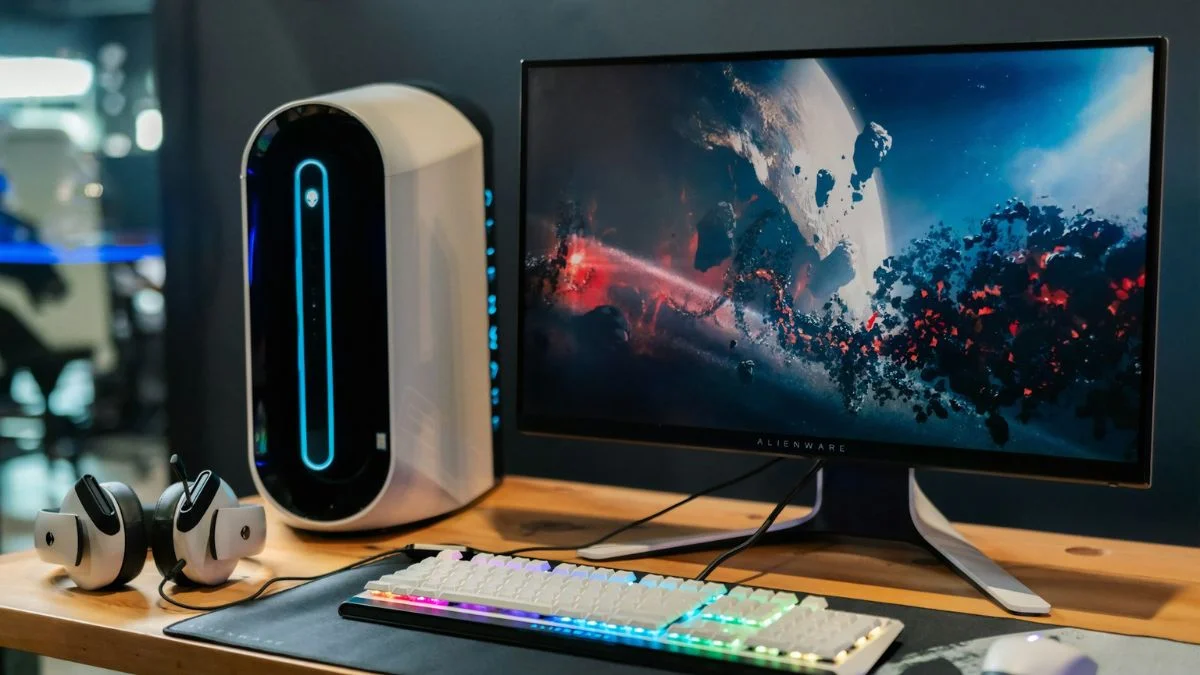
I’ve noticed an increased buzz around 4K monitors lately, largely driven by enticing sales like Black Friday bargains. With more 4K content becoming readily available—from a plethora of YouTube videos to multiple streaming platforms supporting the higher resolution—interest in 4K displays has never been higher.
However, whether investing in a 4K monitor truly pays off is another matter. Gamers might prioritize monitors with quicker refresh rates to handle fast-paced graphics smoothly, particularly since graphic-intensive games such as Cyberpunk 2077 present challenges at higher resolutions. For general productivity tasks like managing spreadsheets or composing emails, the benefits of a higher resolution display are modest. With cutting-edge components such as the Nvidia GeForce RTX 4090 making promises of seamless 4K computing, the question arises: should one invest in a 4K monitor or consider the best 1440p or lower resolution monitors which might offer better value for money, so the big question is do you really need a 4k monitor?
Let’s Talk About 4K Gaming

When exploring the realm of 4K gaming, a question often arises: do the latest gaming consoles, like the PS5 and Xbox Series X, truly deliver on the promise of 4K? These systems frequently utilize upscaling techniques to enhance lower-resolution games to approach a 4K experience.
On the PC side, Nvidia’s GeForce RTX 3090 and the AMD Radeon RX 6800 XT represent the higher echelon of GPUs capable of actual 4K gaming, with some models even venturing into 8K territory. The more formidable RTX 4070, 4070 Ti, 4080, and 4090, alongside AMD’s RX 7800 XT and RX 7900 XTX, continue this trend.
However, many widely-used graphics cards, like the GTX 1060, are better suited for 1080p gaming. With advancements in game graphics, even this resolution is starting to push the limits of such GPUs. It’s perhaps not surprising then that a vast majority of Steam users cling to 1080p monitors, with 4K adopters making up a small fraction.
Given this, 1440p monitors strike a compelling balance, particularly those with high refresh rates. Even the most advanced graphics cards, while they can run games at 4K and achieve around 60 frames-per-second, might offer a silkier experience at 1440p, potentially with higher FPS.
For console gaming, HDMI 2.1 has been a game-changer, supporting higher bandwidth for 4K content. PC gamers, meanwhile, can leverage technologies like Nvidia’s G-Sync or AMD’s FreeSync to reduce input lag and screen tearing for a smooth gaming experience. An ultrawide monitor could also offer an immersive alternative, though it diverges from the 4K path.
Despite the draw of high-resolution gaming, the market reflects a preference for systems that blend performance with more accessible resolutions, hinting that while 4K gaming is an exciting frontier, it remains a luxury rather than the norm.
Crafting Digital Media
Crafting quality digital media, whether it be video editing or photo editing, is enhanced by the technology you use. I’ve discovered that working with high-resolution images or 4K video content is more precise when the monitor displays the intricacies of my projects, allowing me to see finer details with great clarity.
- Video Production: Editing videos in 4K lets me pinpoint subtleties that can be missed on lower-resolution screens. This is particularly true for content creators who publish on platforms like YouTube. Tools such as Adobe Premiere and Sony Vegas are staples in the editing world, and a more expansive resolution like 5K or 8K can be a game changer, showing the complete scope of a piece while the editing interface remains onscreen.
- Photography: As for editing photos, a 4K monitor displays the nuances of my changes with exceptional fidelity, especially when dealing with images from a DSLR camera. The higher-than-4K resolution of these cameras is done justice on a premium 4K display.
By using Visual Asset Systems (VAS), every tweak in graphic design or videography becomes more apparent, allowing for an elevated final product. Enhanced resolutions beyond the standard 4K can serve video editors even better, supporting a more detailed and engaging creative process.
Is a 4K Display Essential for Managing Emails?

When managing my workflow on a single screen, 4K resolution enhances the clarity of text and interface elements significantly, which means even when I split my screen into quadrants for multiple tasks—like web browsing and messaging on Slack—the content remains sharp and easy to read.
- Maximized Screen Real Estate: A 4K monitor offers ample space to view multiple windows simultaneously without losing legibility, ideal for when I’m juggling various tasks.
- Ultra-Wide Alternatives: For those with limited desk space, an ultra-wide monitor might be a preferable option, providing a similar multi-tasking experience without the need for dual monitors.
However, I must consider the necessity of such high resolution for daily tasks. For typical computer use—like checking emails, online browsing, and enjoying streaming services from Netflix or Amazon— a standard 1080p screen often suffices.
- Benefits of Lower Resolutions: On monitors around 24 to 27 inches, the sharpness difference between 1080p and 4K is subtle, unless I compare them directly.
The choice boils down to usability and personal needs. If a user doesn’t require high levels of detail for intricate graphics or extensive multitasking, investing in a 4K monitor for activities such as sending emails or watching YouTube may not provide a discernible benefit, especially considering the additional cost.
Ultimately, when taking into account factors such as increased display scaling demands on Windows or Mac, the capabilities of the human eye, and optimal viewing distance, a 4K display isn’t mandatory but can be a luxury for those who value crisp visuals and expansive screen real estate.
Assessing the True Worth of Your Display
When I weigh the pros and cons of monitor resolutions, I find 4K displays are progressively becoming more budget-friendly. Recently, nabbing a 4K gaming monitor for near $300 has become feasible, and they’re no longer marred by the limitations in color accuracy, ergonomics, and refresh rates that once plagued them. Now, these monitors stand on par with those of lower resolutions in specifications, providing breathtaking visuals for both gaming aficionados and creative professionals.
Yet, it’s the 1080p and 1440p monitors that have a longer history in the market, which translates into an array of refined options. These can offer superior color representation and viewing angles that don’t require you to be positioned directly in front of the screen. It’s the little details, such as the fluidity of moving cursors and windows around the desktop, that are noticeably enhanced on high-refresh-rate monitors—benefits that extend beyond the gaming realm into everyday use.
Here’s a comparison of what to expect in terms of image quality and hardware needs across resolutions:
- 1080p (Full HD): Great color and angles at an affordable price.
- 1440p: Balance between cost and high pixel density for sharper images.
- 4K: Four times the pixels of Full HD, but demands more from your hardware.
Choosing a higher screen size with 4K resolution certainly promises unparalleled image sharpness and detail, as it packs more pixels per inch (PPI), but remember larger displays necessitate more powerful hardware, especially for tasks like gaming. One needs to ensure their system’s graphics card and RAM are up to the task.
4K delivers on high definition and is definitely a solid choice for picture quality, but for those mindful of their budget, Full HD and 1440p displays offer a compelling compromise. The latter resolutions frequently couple better price points with impressive display features, such as HDR for enhanced picture quality, without the steep hardware requirements of 4K or even 5K and 8K resolutions.
In summary, whether you are enamored by the crispness of individual pixels in a 4K monitor or content with the user-friendly and cost-effective 1080p or 1440p monitors, the market has matured to offer high-quality options across the spectrum of resolutions.
Origins of the 4K Craze
The fascination with 4K resolution in home electronics has been propelled principally by three sectors: home television markets, advanced gaming consoles, and the creation as well as distribution of film and video content. These components have established a synergy influencing consumer expectations and demands for ultra-high-definition experiences.
In the realm of televisions, the desire for 4K, Ultra HD at 3840 x 2160 pixels, has largely been driven by the trend of increasing screen sizes. Consider the past, when a 33-inch TV was the norm and 1080p resolution sufficed due to the typical viewing distance and the screen technology of the time. With TVs now regularly exceeding 50 inches, a leap in resolution to 4K has become a natural progression to maintain image clarity and detail, critical as screen sizes expand.
TV Evolution and 4K Adoption:
- 2006: Average TV size 33 inches, Blu-Ray launch aligns with 1080p standards
- 2012: Average TV size reaches 38 inches, 1080p begins to fall short, LG releases a 4K TV at 84 inches
- 2016: Average TV size is 43 inches, UltraHD Alliance sets standards, 4K consoles emerge
- 2022: Average TV size hits 50 inches, mainstream 4K TVs begin at 42 inches
The introduction of 4K-capable gaming systems, such as the PlayStation 5 and Xbox Series X, coupled with streaming platforms like Netflix adopting 4K content delivery, solidified the presence of 4K as a new baseline for visual media. This ubiquity in the TV industry has spilled over into consumer expectations for computer monitors, leading to disappointment when new monitor releases do not match 4K capabilities.
When considering monitors, the situation isn’t as straightforward. Distinctly different from televisions, the average monitor size is approximately 24.7 inches, with a gradual shift toward 25 inches. At these sizes, resolutions such as 1080p or 1440p remain effective, especially when factoring in desktop viewing proximity and the variety of content interacted with on a daily basis.
Why 4K Might Be Excessive for a 27-inch Monitor:
- Viewing Distance: At typical desk distances, the finer details afforded by 4K can be imperceptible compared to 1440p.
- Content Type: Many everyday applications and tasks don’t necessitate 4K detail levels.
- Scaling Issues: Some users might face complications with interface scaling due to the high pixel density on smaller screens.
Balancing screen size and resolution is key. For 27-inch monitors, which are prevalent in the market, 4K may offer no visible benefit and potentially introduce new challenges such as scaling issues for operating systems and applications. Understanding and acknowledging when higher resolutions offer tangible benefits is crucial to making informed decisions about display technology.
Determining the Necessity of 4K Resolution for Desktop Monitors (Do you really need a 4k monitor?)

As someone deeply immersed in the display technology field, I’ve observed that the burning question for monitor buyers isn’t just about panel size or brand anymore. It’s often about resolution, specifically the allure of 4K. I’ll discuss this from my vantage point, focusing on why you might consider 4K vital for your desktop monitor and when it’s likely overkill.
4K resolution, which translates to 3840 x 2160 pixels, has become a buzzword thanks to its prevalence in TVs and the appeal of ultra-high-definition content. Monitor vs. TV: a comparison in usage has shown that the requirements diversify vastly. The average monitor size hovers around 25 inches and peaks in popularity at 27 inches for many users. This range is optimal for various activities, from gaming to professional tasks.
When evaluating the need for 4K in monitors, particularly around 27 inches, one must weigh several factors. Here are some key considerations:
- Viewing Distance: Sitting closer to a monitor than a TV often means that the increase in pixels per inch (PPI) provided by 4K can be noticeable. But it’s not just about what you can see—it’s about what makes practical sense.
- Content Creation and Detail: If your tasks include high-end graphics work or detailed video editing, 4K might bring tangible benefits. It allows for crisper text and sharper images, making intricate details distinguishable.
- Interface Scaling: Oftentimes, with 4K on a modestly sized monitor, the user interface of software may appear too small, requiring scaling to make items legible. This can negate some benefits of increased workspace that 4K provides.
- Gaming Requirements: Video gaming at 4K requires potent hardware to maintain smooth framerates. It’s essential to have a robust graphics card, which can be a considerable additional investment.
- Content Consumption: While many movies and games are now available in 4K, not all content requires such high resolution, and streaming 4K content demands faster internet speeds.
A Realistic Balance for 27” Monitors
- Resolution: For 27-inch screens, a resolution of 1440p often strikes an ideal balance between clarity and practicality.
- Performance: Eases demands on graphic processing units (GPUs), leading to better performance in tasks, particularly gaming.
- Scaling: Less necessity for interface scaling means fewer issues with software not optimized for high-resolution displays.
Looking at the broader implications, while 4K boasts quadruple the pixels of a 1080p display, it doesn’t always translate to a quadruple increase in perceptible detail, especially at distances typical for desktop use.
In essence, while I recognize the enthusiasm for crisp visuals and pixel-dense screens, I consider the utility and application of a monitor paramount when deciding if 4K is necessary. For general use cases and even for some professional and gaming scenarios, 27-inch screens may not necessitate 4K resolution to offer an excellent visual experience. In the end, it’s not just about the number of pixels, but about the harmony of all factors—size, distance, purpose, and performance—that dictates the optimal choice for your desktop display.
Receive Handpicked Suggestions and Insights
Seeking ways to enhance your tech experience? Let me guide you through the maze of options. Every day, I sift through the latest tech trends, handpick the finest deals, and compile comprehensive reviews and buying guides to ensure you make informed decisions.
- Latest News: Fresh off the press tech updates.
- Deal Alerts: Affordable pricing on top-notch gadgets.
- Expert Opinion: Gain insights from seasoned professionals.
- Detailed Analysis: In-depth exploration of tech specifics.
Drop me a message for personalized advice or if you’re curious about the best tech suited for your needs.
Frequently Asked Questions
Advantages of 4K Monitors in Gaming
- Higher Resolution: Gaming on a 4K monitor allows for sharper visuals and more detailed textures.
- Immersive Experience: The higher pixel density can create a more immersive and realistic gaming environment.
- Future-Proofing: As game development progresses, 4K is becoming more of a standard.
Necessity of 4K for Work Purposes
- Detail-Oriented Tasks: For tasks requiring attention to detail, like graphic design, a 4K monitor can be beneficial.
- Multitasking: More screen real estate allows for efficient multitasking with multiple windows open simultaneously.
Video Editing on a 4K Display
- Precision: Editing at 4K can give me a truer representation of the video quality.
- Clarity in Detail: I can see fine details and make more accurate edits with a clearer picture.
4K Monitor Benefits with PS5 Usage
- Enhanced Visuals: The PS5 supports 4K resolution, which means games can look their best.
- Optimized Performance: Some games are optimized for 4K, offering smoother frame rates on a PS5 paired with a 4K monitor.
4K Benefits for General Office Tasks
- Increased Clarity: Text appears sharper, which can reduce eye strain during prolonged use.
- Desk Organization: Higher resolution allows for better organization with more workspace on the screen.
Comparison: 4K vs. 1440p Monitors
- Visual Quality:
- 4K: Crisper images and better overall clarity.
- 1440p: An improvement over 1080p but less sharp than 4K.
- Performance:
- 4K: Requires more powerful hardware to maintain performance.
- 1440p: Less demanding on system resources.
By considering these points, I can determine whether a 4K monitor meets my specific needs or if a different resolution might be more suitable.